Know if the AI is working.With data, not impressions.
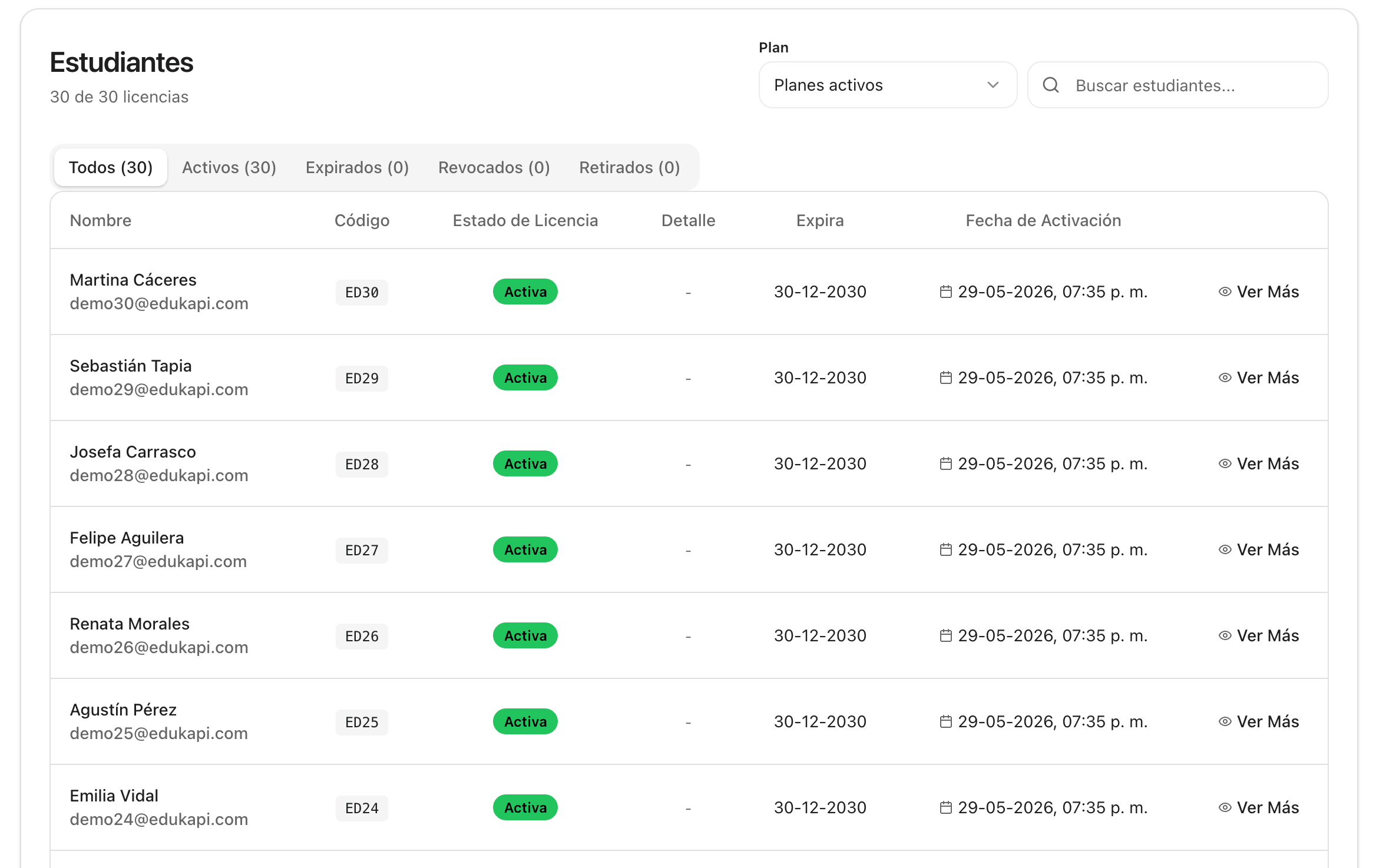
The institution's dashboard: usage and progress by class, grade level and subject, combining what happens in Edukapi Studio, Edukapi PAES, Edukapi SIMCE and the Mobile app. And where you manage licenses, permissions and how far the AI can help.
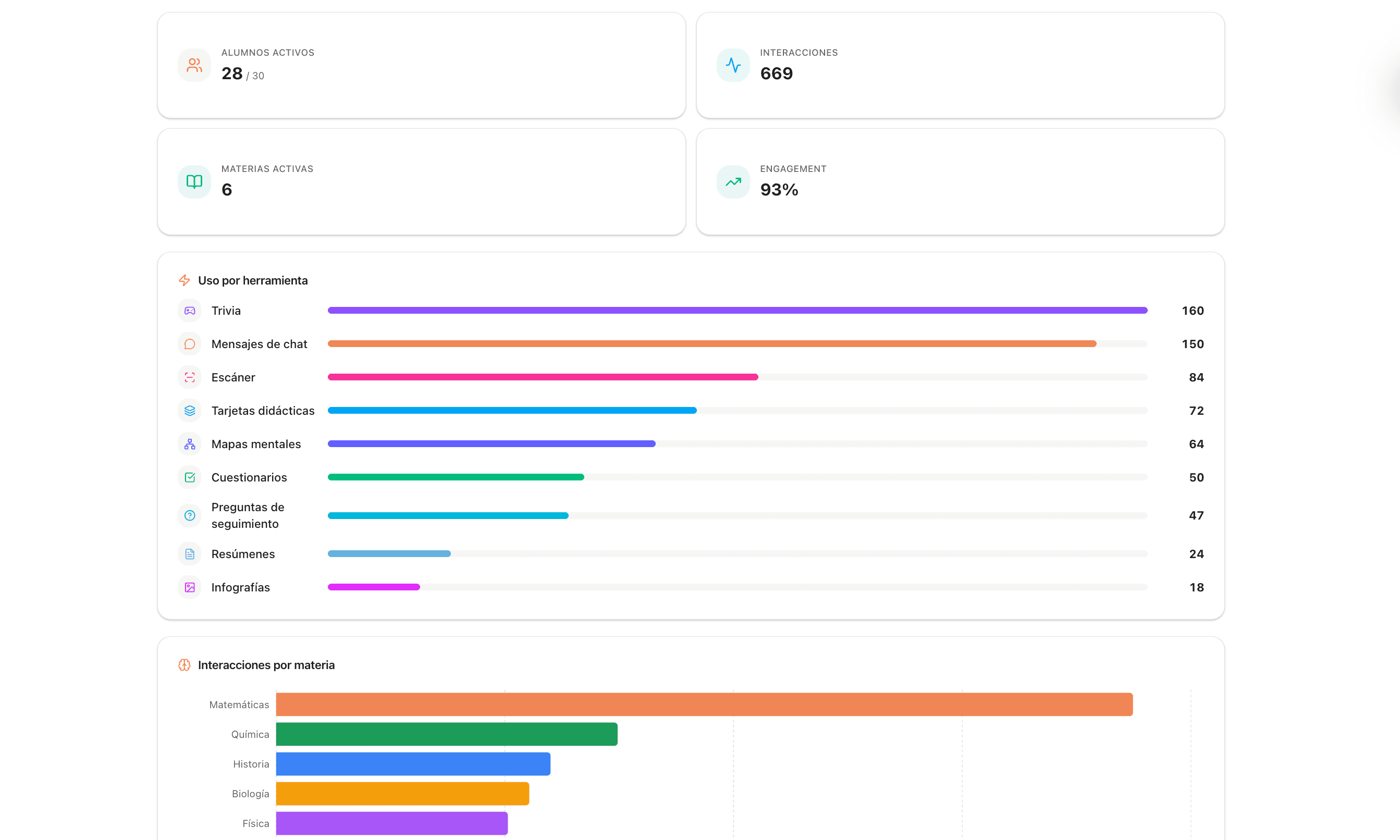
Monitor activity
Which tools are used and how many interactions there are per subject, with a view of a full class or of one student in particular.
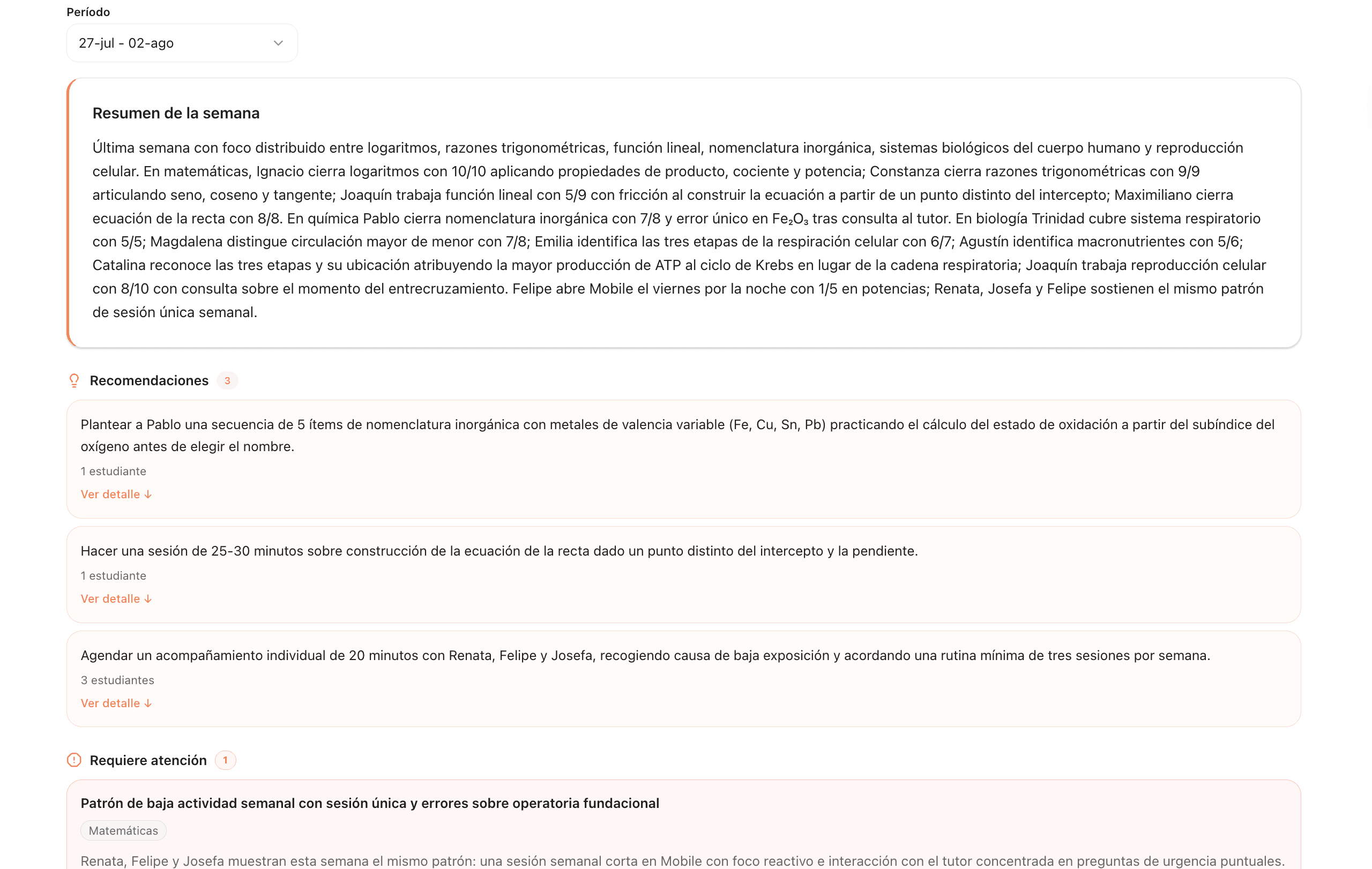
Receive the pedagogical analysis
Every week, a pedagogical report per class and per student: strengths, weaknesses, recurring patterns and actionable recommendations.
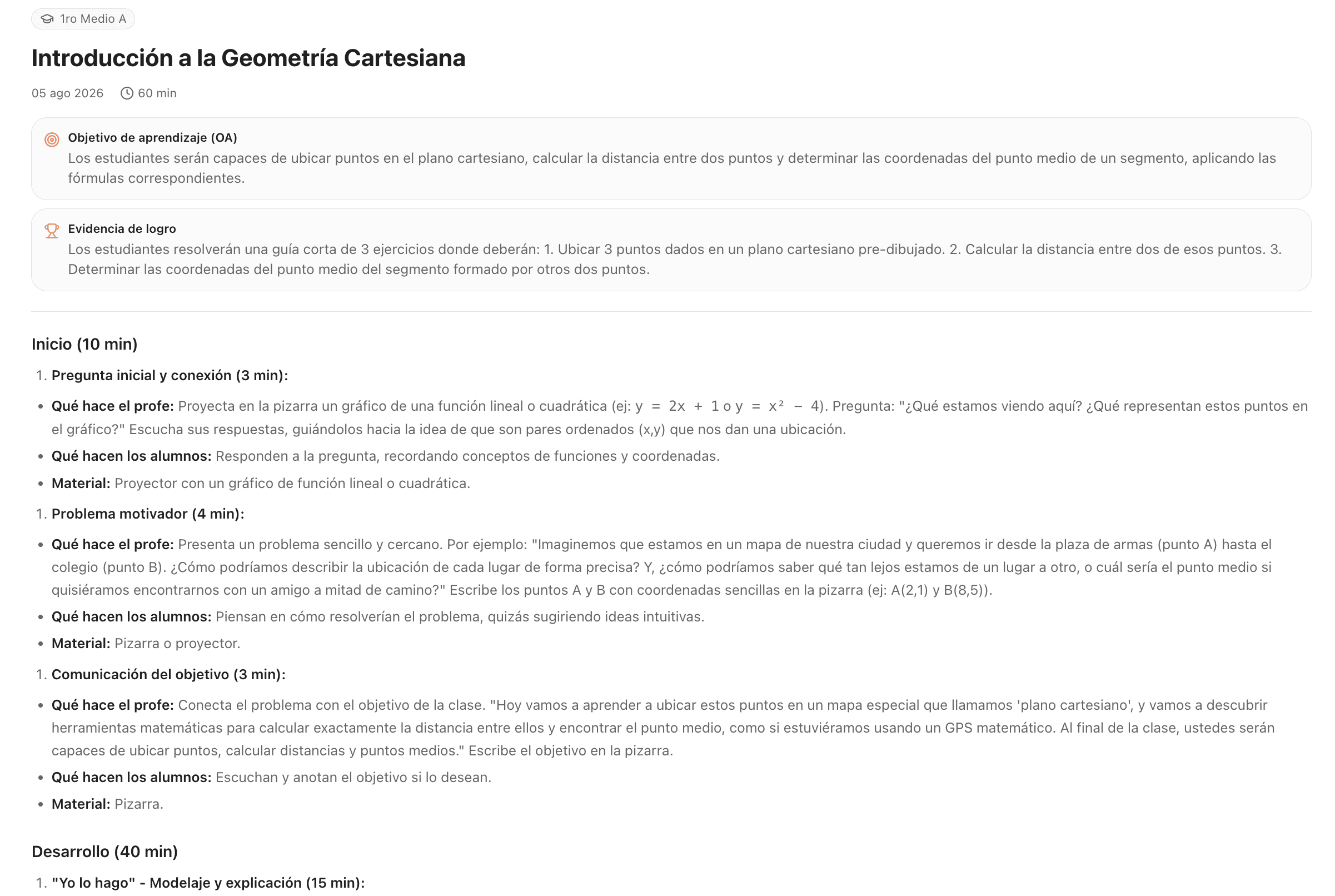
Plan your classes
Structured lesson plans, with learning objectives and concrete evidence of achievement for every session.
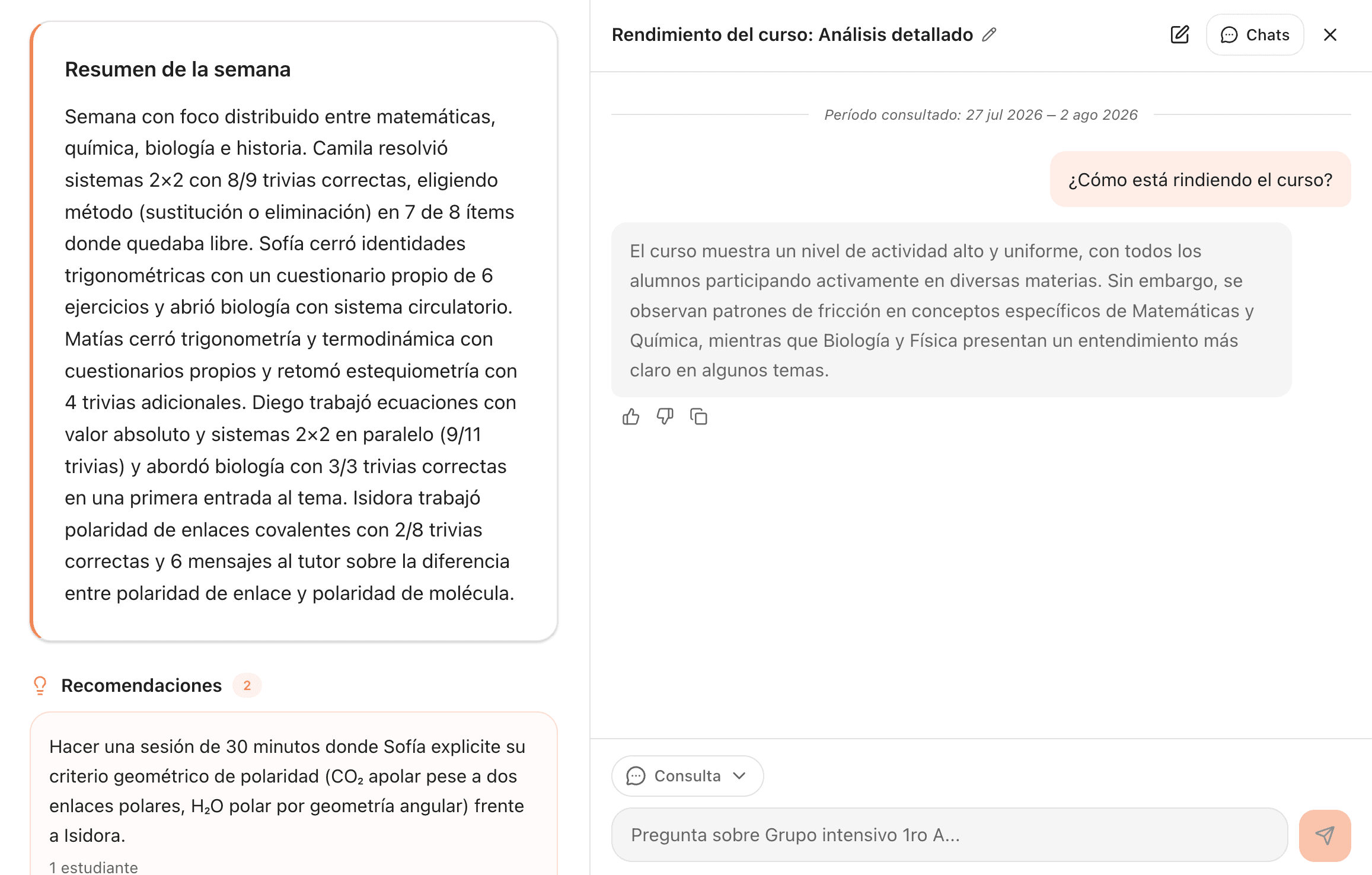
Talk about your students
A chat to ask about the performance of a class or of a single student, with each one's specific context.
Manage licenses
Adding, removing and assigning licenses by class and by grade level, from a single place.
A holistic view, personalized data and concrete improvements.
360° view
Detailed tracking at all times: which classes use Edukapi, how often, and in which subjects.
Advanced analytics
Reports by class, grade level and subject, with each unit's most common questions and the progress from one mock exam to the next.
Improvement recommendations
Concrete actions for school leadership and the teachers' council: what content to reteach, which class needs support and who to contact this week.
Interested?
Let's start with a pilot
Thirty minutes to define which classes are included and what you'll measure. By week four you have the first real report in hand.